
If you have recently bought, sold, or registered a property in Maharashtra — whether in Mumbai, Pune, PCMC, or Thane — you have likely come across a document called Citizen Index II, or simply Index 2.
This is one of the most important property records you will ever receive. It is generated automatically by the Department of Registration & Stamps, Maharashtra, right after your sale deed, gift deed, or rent agreement is registered.
Think of it as the official summary of your property registration. It is the fastest and easiest proof of property ownership available in the public record.
In 2026, downloading Index 2 in Maharashtra is completely free and fully online through the IGR Maharashtra eSearch portal. You can access it anytime, from anywhere.
What is Citizen Index II (Index 2)?
Citizen Index II (also written as Index II or Index2) is a legal extract. It is automatically created every time a document is registered at a Sub-Registrar Office (SRO) in Maharashtra.
It is issued under the Registration Act, 1908.
This document covers:
- The registration number and date
- Names of the buyer(s) and seller(s), or lessor and lessee
- Property address and survey or CTS number
- Market value and stamp duty details
- The name and location of the Sub-Registrar Office where it was registered
When we register documents like sale deeds, rent agreements, or gift deeds, Index 2 is generated. It includes details like the document registration number, party names (the property owner’s name), total consideration amount, property details, and stamp duty paid. It is a very important document. You can search and download it online, for free.
Why You Need Index 2 (Citizen Index II)
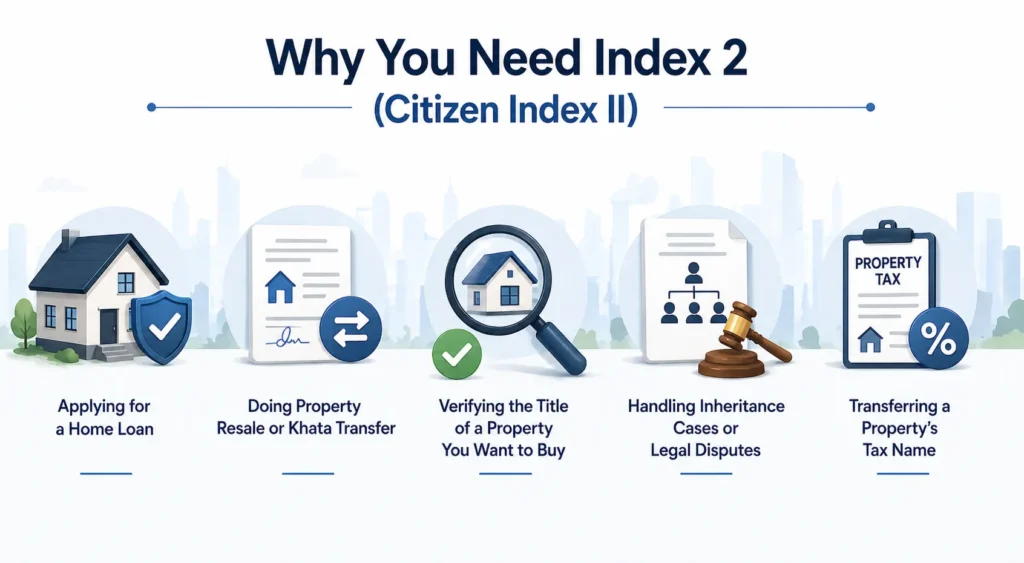
Index 2 is not just a record to file away. It is legally significant in many real situations.
You will need it when:
- Applying for a home loan
- Doing property resale or Khata transfer
- Verifying the title of a property you want to buy
- Handling inheritance cases or legal disputes
- Transferring a property’s tax name
Having your Index 2 ready means your ownership details are easy to verify. It saves time during any future transaction or legal process.
How to Download Index 2 Online in Maharashtra (Step-by-Step)
This process works for all cities in Maharashtra — Mumbai, Pune, PCMC, Thane, Nashik, Nagpur, and others.
Step 1: Go to the IGR Maharashtra eSearch portal — igrmaharashtra.gov.in
Step 2: On the home page, select your region. Choose one of the three options:
- Mumbai
- Rest of Maharashtra
- Urban areas in rest of Maharashtra
Step 3: Enter the required details:
- Year of registration
- District
- Property number
- Village or area details
Step 4: Enter the captcha code and click Search.
Step 5: A page with all the property details will open. In the last column, you will see an option called “Index”. Click on it.
Step 6: Download the Index 2 document.
Pro tip: If you have your document number, the process is even faster. Click on “Document Number”, then select Regular or E-Registration. Choose the district, the office number where it was registered, the year, and enter the document number. Enter the captcha and download directly.
How to Download Index 2 in Mumbai
Mumbai property registrations fall under the Mumbai City and Mumbai Suburban districts on the IGR portal.
When selecting your region, choose “Mumbai” from the home page.
Then enter:
- District: Mumbai City or Mumbai Suburban (based on where your property is)
- Registration year
- CTS number or document number
The Sub-Registrar Offices in Mumbai include SRO Bandra, SRO Andheri, SRO Borivali, SRO Kurla, SRO Dadar, and others. Make sure you select the SRO where your document was originally registered.
If you registered after 2002, your Index 2 will be available online. For older records, you will need to visit the SRO directly.
How to Download Index 2 in Pune
For Pune property registrations, select “Urban areas in rest of Maharashtra” or “Rest of Maharashtra” on the IGR portal home page.
Then enter:
- District: Pune
- The relevant taluka or registration office
- Year of registration
- Property or document number
Pune has multiple Sub-Registrar Offices — including SRO Haveli, SRO Pune City, SRO Kothrud, and SRO Hadapsar. Select the one that matches your registration.
If you know your document number, use the document number search option. It is the fastest way to download your Index 2 in Pune without going through multiple fields.
How to Download Index 2 in PCMC (Pimpri-Chinchwad)
PCMC (Pimpri-Chinchwad Municipal Corporation) comes under the Pune district on the IGR portal.
On the portal, select “Urban areas in rest of Maharashtra”, then choose:
- District: Pune
- Office: Select the PCMC-specific SRO (such as SRO Pimpri or SRO Chinchwad)
- Enter the registration year and property details
Many PCMC property owners miss this step — they select Pune City SRO instead of the PCMC-specific SRO. Always confirm the exact SRO where your document was registered. That is the only office whose records will show up for you.
How to Download Index 2 in Thane
For Thane, select “Urban areas in rest of Maharashtra” or “Rest of Maharashtra” on the portal.
Then enter:
- District: Thane
- Select the correct Sub-Registrar Office (SRO Thane, SRO Kalyan, SRO Dombivli, etc.)
- Enter the year and property or document number
Thane district covers a large area. It includes Kalyan, Dombivli, Navi Mumbai, Mira-Bhayandar, and Ulhasnagar. Make sure you pick the taluka that matches where your property is actually located.
Alternate Method: Offline (Visiting the Sub-Registrar Office)
If your Index 2 is not available online — or if the document was registered before 2002 — you can get it manually.
Here is how:
- Visit the Sub-Registrar Office (SRO) where your document was originally registered
- Submit a written request with your ID proof and registration number or property details
- Pay a small fee (around Rs. 20 to Rs. 50 per copy)
- Collect the certified Index 2 copy once the registrar’s office verifies it
This method works for all cities in Maharashtra — Mumbai, Pune, Thane, Nashik, Aurangabad, Nagpur, and others.
Fees and Validity of Citizen Index II
- Online download: Completely free via the IGR Maharashtra portal
- Certified copy from SRO: Small fee of Rs. 20 to Rs. 50
- Validity: The document has no expiry date. It is a permanent part of your registered property record
Common Issues and How to Fix Them
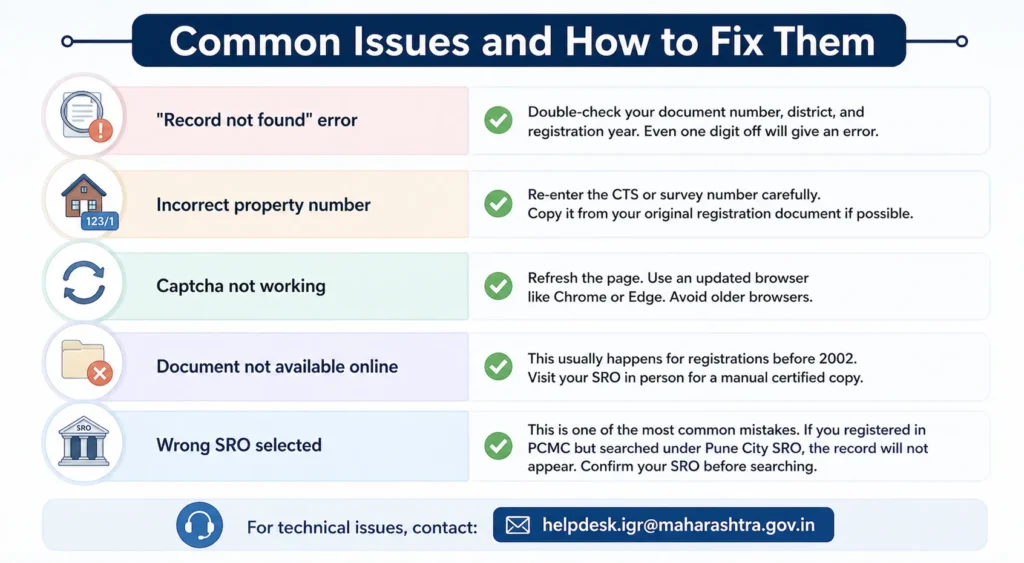
“Record not found” error: Double-check your document number, district, and registration year. Even one digit off will give an error.
Incorrect property number: Re-enter the CTS or survey number carefully. Copy it from your original registration document if possible.
Captcha not working: Refresh the page. Use an updated browser like Chrome or Edge. Avoid older browsers.
Document not available online: This usually happens for registrations before 2002. Visit your SRO in person for a manual certified copy.
Wrong SRO selected: This is one of the most common mistakes. If you registered in PCMC but searched under Pune City SRO, the record will not appear. Confirm your SRO before searching.
For technical issues, contact: helpdesk.igr@maharashtra.gov.in
2026 Updates: What Is New on IGR Maharashtra eSearch
The IGR Maharashtra eSearch portal has received useful updates in 2026:
- QR code-verified Index 2 PDFs — every downloaded document now has a QR code to confirm authenticity
- DigiLocker integration — you can now store and access your Index 2 from your DigiLocker account
- Mobile-friendly interface — the portal now works well on phones and tablets
- Automatic generation — for all newly registered documents, Index 2 is created instantly after registration
This means you can now verify, download, and store your Index 2 digitally within minutes of registration. No physical visit required.
Tips Before You Download
- Keep your document number and year of registration ready. It makes the process much faster.
- Always verify the names and property details before saving the document.
- Store both a digital copy and a printed copy safely.
- If you are dealing with an old property or a legacy registration, it is worth consulting a property lawyer or a property management expert. They can help you retrieve older records.
Frequently Asked Questions (FAQ)
How to download Index 2 online in Maharashtra?
Go to the IGR Maharashtra eSearch portal. Select your region (Mumbai or Rest of Maharashtra). Enter the district, year, and property or document number. Enter the captcha and click Search. Then click “Index” in the last column to download.
How to download Index 2 in Pune?
On the IGR portal, select “Urban areas in rest of Maharashtra” or “Rest of Maharashtra”. Choose District: Pune. Select the correct SRO (Haveli, Pune City, Kothrud, Hadapsar, etc.). Enter your registration year and document number, then download.
How to download Index 2 in PCMC / Pimpri-Chinchwad?
PCMC falls under Pune district on the IGR portal. Select “Urban areas in rest of Maharashtra”, choose District: Pune, and then select the PCMC-specific SRO (SRO Pimpri or SRO Chinchwad). Enter your details and download.
How to download Index 2 online for a rent agreement?
The process is the same. Index 2 is generated for all registered documents — including rent agreements, sale deeds, gift deeds, and mortgage deeds. Go to the IGR portal, enter your document number and year, and download.
How to get Index 2 copy online in Maharashtra?
Visit igrmaharashtra.gov.in. Use the eSearch option. Enter your document number or property details. The Index 2 copy is available for free download instantly.
How to download Index II from IGR Maharashtra?
Use the document number search on the IGR Maharashtra eSearch portal. Select your district, office, year, and enter the document number. Download directly. No registration or login is needed.
How to download Index 2 in Thane?
On the IGR portal, select “Urban areas in rest of Maharashtra”. Choose District: Thane. Pick your SRO (Thane, Kalyan, Dombivli, etc.). Enter the year and property or document number, then click Search and download.
Is Index 2 download free?
Yes. The online download through the IGR Maharashtra eSearch portal is completely free. A small fee of Rs. 20 to Rs. 50 applies only if you request a certified physical copy from your SRO.
What is Index 2 in property?
Index 2 (Citizen Index II) is the official summary of a registered property document. It contains the document number, party names, property details, stamp duty paid, and the SRO details. It is issued under the Registration Act, 1908, and serves as legal proof of property registration.
Conclusion
Downloading Citizen Index II online in Maharashtra is now fast, free, and fully digital. Whether you are in Mumbai, Pune, PCMC, Thane, or anywhere else in the state, the IGR Maharashtra eSearch portal gives you instant access to your property registration summary.
Whether you are applying for a home loan, transferring ownership, or verifying a property before buying — having your Index 2 ready keeps things smooth and transparent.
Follow the steps in this guide. Use the city-specific sections if you are in Pune, PCMC, or Thane. And if your record is not available online, your local Sub-Registrar Office is always an option.


0 Comments